


There are some plugins that do one job very well, and then there are plugins that end up becoming part of the way you think about music. ShaperBox 3 is much closer to the second kind for me.
I do not use it because it looks impressive on a feature list. I use it because it keeps solving real production problems in ways that are fast, musical, and genuinely useful. When I am working on dance music, especially anything with energy and movement at its core, I want tools that help me shape rhythm and emotion without turning every decision into a technical marathon. ShaperBox 3 is one of the few plugins that consistently manages that balance.
It is easy to talk about this plugin as if it is just an effects bundle, but I think that misses the point. What makes ShaperBox 3 stand out is not simply that it gives you a lot of tools. It is that those tools are organised around movement. They let you shape how sound behaves over time in a way that feels intuitive, creative, and surprisingly immediate once you understand the workflow.
I use ShaperBox 3 in my own productions because it can solve different problems without feeling fragmented. Sometimes I want cleaner sidechain movement. Sometimes I want more rhythm inside a static sound. Sometimes I want a transition to feel more alive, more controlled, or more intentional. Sometimes I just want to push a track away from sounding flat. ShaperBox 3 is one of the plugins I reach for when I know movement itself is part of the answer.
What ShaperBox 3 actually is
ShaperBox 3 is a multi-effect modulation plugin from Cableguys. It combines a range of separate “Shapers” into one environment, including volume, filter, pan, width, drive, crush, noise, time, liquid, reverb, and pitch. The key idea is that you are not just loading an effect and leaving it static. You are shaping how that effect behaves over time using curves, syncing, triggers, and modulation.
That is what makes it so useful in electronic music. Dance music thrives on controlled movement. Even something very simple can feel much more alive if it breathes with the groove, ducks with the kick, widens at the right moment, or shifts shape through a build. A lot of plugins can create one of those effects. ShaperBox 3 is valuable because it lets you approach them as part of a wider movement system instead of a pile of disconnected tricks.
That is also why I do not see it as a novelty plugin. Yes, it can be creative and extreme if you want it to be. But in practice, a lot of what makes it good is that it can also be subtle, mix-minded, and efficient.
Why it fits modern dance production so well
Modern dance music relies on control. The kick needs room. The low end needs to breathe. Pads cannot just sit there doing nothing. Leads need shape. Effects need to feel intentional. Drops need contrast. Breakdowns need movement without chaos. ShaperBox 3 speaks directly to that kind of workflow.
What I like is that it lets me add motion without making the track feel accidental. That matters. There is a huge difference between movement that sounds designed and movement that sounds messy. If everything is wobbling, sweeping, distorting, and shifting for no reason, the track starts to feel unfocused very quickly. ShaperBox 3 works best when you use it with intent. It gives you enough control to decide exactly how much movement is actually helping the record.
For harder dance music in particular, that control matters a lot. In Hardcore and Hard Dance, intensity can get crowded very quickly if the arrangement and movement are not disciplined. A static sound can feel dead, but an overworked sound can feel tiring. The reason ShaperBox 3 has stayed useful for me is that it lets me live in the space between those two extremes.
What I like most about it
The biggest strength of ShaperBox 3 is that it makes complex movement feel manageable. That sounds simple, but it is what separates a genuinely useful plugin from one that just looks flexible on paper.
I like that I can hear a sound, know it needs more pulse or contour, and shape that quickly. I like that I can create ducking without setting up a more awkward chain. I like that I can push a dull element into something more rhythmic without having to stack five separate plugins to get there. Most of all, I like that I can use it in ways that are musical rather than just flashy.
That is an important distinction for me. A lot of effect-heavy plugins make it very easy to overdo things. ShaperBox 3 absolutely can be overused if you are not careful, but it also gives you enough visual and rhythmic clarity that it is easier to stay intentional with it. You can see what is happening, hear it in context, and pull back before the idea starts collapsing under too much movement.
VolumeShaper is still one of the most useful parts
Even with all the newer additions, VolumeShaper is still one of the most practical reasons to use ShaperBox 3. It is one of the quickest and most musical ways to create sidechain-style ducking and movement, especially in genres where the kick and low end need to work together cleanly.
I have talked before about why I value tools that reduce friction, and VolumeShaper fits that perfectly. If I need a bassline or a pad to breathe around the kick, I do not want to stop the whole session just to build a routing setup that interrupts the creative flow. I want to hear the result quickly and decide whether it helps the track. VolumeShaper makes that easy.
That is not just a convenience point. It affects how you work. If a solution is too slow, you delay using it. If it is immediate, it becomes part of the creative decision-making process. In dance music, that difference matters, because groove is not a finishing touch. It is part of the structure.
The external sidechain view is also genuinely useful. Being able to see the kick overlaid and shape the ducking around it gives you a cleaner sense of how the low end is really interacting. That is exactly the kind of feature that looks small on paper and becomes very useful in real sessions.
Why the multi-effect design actually works
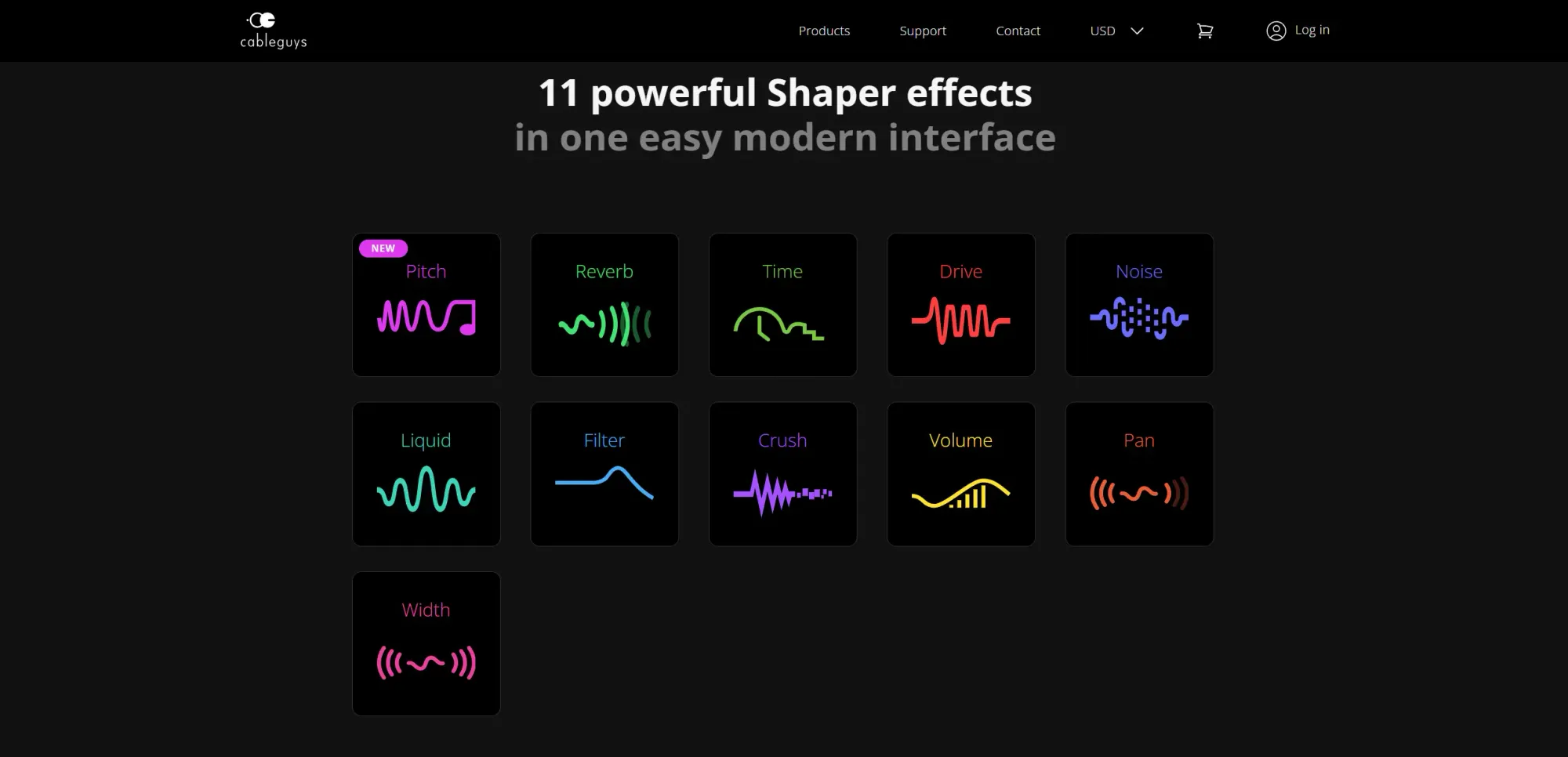
A lot of all-in-one plugins end up feeling like collections rather than systems. They give you a lot of choices, but they do not really create a coherent way of thinking. ShaperBox 3 works better than most because the different modules all make sense under the same idea. They are all about shaping behaviour over time.
That means switching from volume movement to filter movement or width movement does not feel like jumping between unrelated tools. It feels like staying inside the same language. That consistency is one of the reasons the plugin is not just powerful, but actually usable.
I think that matters especially when you are producing quickly. If a plugin is theoretically flexible but mentally exhausting, it will not become part of your real workflow for long. ShaperBox 3 has enough depth to reward experimentation, but the core logic is still simple enough to trust under pressure.
How I use it in practice
I do not use every Shaper on every track, and I do not think that would be a smart way to approach it. For me, the value of ShaperBox 3 is that it gives me multiple ways to solve a problem depending on what the track actually needs.
Sometimes it is about ducking. Sometimes it is about getting a pad to move with more life. Sometimes it is about making a reverb tail pulse in time instead of just washing everywhere. Sometimes it is about adding a little stereo motion without losing control of the centre. Sometimes it is about making a fill or transition feel more deliberate and exciting. Sometimes it is just about making something less static.
That flexibility is what makes it stay useful. The plugin does not trap you into one result. It gives you a way to think about movement more broadly, then lets you decide which version of that idea the track needs.
Where it is strongest for me
If I had to narrow down where ShaperBox 3 is strongest in my own workflow, I would say three main areas stand out.
First, it is strong at adding rhythmic life to sounds that feel too static. A sustained element can be beautifully designed and still feel dead if it is not moving in the right way. ShaperBox 3 is great for solving that.
Second, it is strong for mix space and separation. Volume shaping, width shaping, filter motion, and controlled transitions can help parts stop stepping on each other so heavily.
Third, it is strong for transitions and arrangement energy. Builds, fills, drops, and movement into or out of sections can feel far more intentional when a plugin like this is being used properly.
That last point is especially important in dance music. Arrangement energy is not just about adding more noise or lifting a riser. It is about controlling expectation and release. ShaperBox 3 is very good at helping with that when used musically.
What could go wrong if you misuse it
As much as I rate ShaperBox 3, I do think it is easy to misuse if you are not careful. The danger is not that it sounds bad. The danger is that it makes it too easy to keep adding movement just because the plugin encourages experimentation.
That can be a problem if you lose track of the role of each sound. Not everything needs to move dramatically. Not every element needs its own rhythmic contour. Not every transition needs five layers of automated motion. A track can become very busy very quickly if you are not disciplined with a plugin like this.
So for me, the best way to use ShaperBox 3 is not as a toy box, but as a decision-making tool. Ask what the sound actually needs. Ask what the track is missing. Ask whether the movement is supporting the groove, the emotion, the contrast, or the clarity. If it is not doing one of those things, it may just be noise in disguise.
How it compares to simpler tools
There are plenty of situations where a simpler tool is enough. A single sidechain plugin, a basic filter automation lane, or a straightforward stereo effect may solve the problem just fine. That is why I do not think ShaperBox 3 is about replacing every other plugin in your session. It is about having a more unified and flexible environment when movement itself is becoming a bigger part of the production decision.
In other words, I do not reach for ShaperBox 3 because I want to use more tools. I reach for it when I want one tool that can solve several related movement problems without making the session more awkward.
That is a meaningful difference. More plugins do not necessarily make a workflow better. Better organisation and better problem-solving do. ShaperBox 3 feels closer to that second category.
What the official feature list gets right
One thing the official ShaperBox page gets right is that this plugin really is about modern mixes and inspiration. That kind of phrase can sound like marketing fluff if the product does not back it up, but in this case I think it is fair. There is a reason so many producers still rate it highly. It genuinely can make a mix feel more controlled and a sound feel more alive without demanding a huge amount of setup.
The multiband side of it is also more useful than it might sound at first glance. Being able to shape different parts of the frequency spectrum separately can open up a lot of possibilities, whether you are trying to tighten the low end, animate the mids, or keep the highs moving without disturbing the whole sound. That kind of detail can be very useful in denser productions.
I also think the external triggering and visual side of the plugin are major strengths. The more clearly you can see how movement is being applied, the easier it becomes to use the effect musically rather than randomly.
Who I think ShaperBox 3 is for
I think ShaperBox 3 is for producers who care about movement, groove, space, and arrangement energy, which means it makes a lot of sense in EDM, Hardcore, Hard Dance, Trance, and adjacent electronic genres. It is also a strong fit for people who like having one flexible environment for multiple kinds of shaping instead of stacking separate plugins for every small decision.
That said, I think it is especially good for producers who already understand that less is often more. If you know how to make a track breathe and you want more control over that, ShaperBox 3 becomes very powerful. If you are still in the phase of throwing effects on everything without a strong reason, it can just become another way to overwork a track.
My honest opinion
My honest opinion is that ShaperBox 3 deserves its reputation. It is one of the most genuinely useful creative/mix plugins in modern electronic production because it solves real problems, speeds up real workflows, and stays musical even when it gives you a lot of control.
I use it because it earns its place. It helps with movement, groove, separation, transitions, and energy in a way that feels clear rather than cluttered. It is one of those tools that can be subtle or obvious depending on what the track needs, and that flexibility is a big part of why it stays relevant.
It is not a magic button, and it will not make weak production decisions disappear. But if you already know what kind of movement the track needs, ShaperBox 3 is one of the best tools I know for getting there quickly and musically.
Official Link
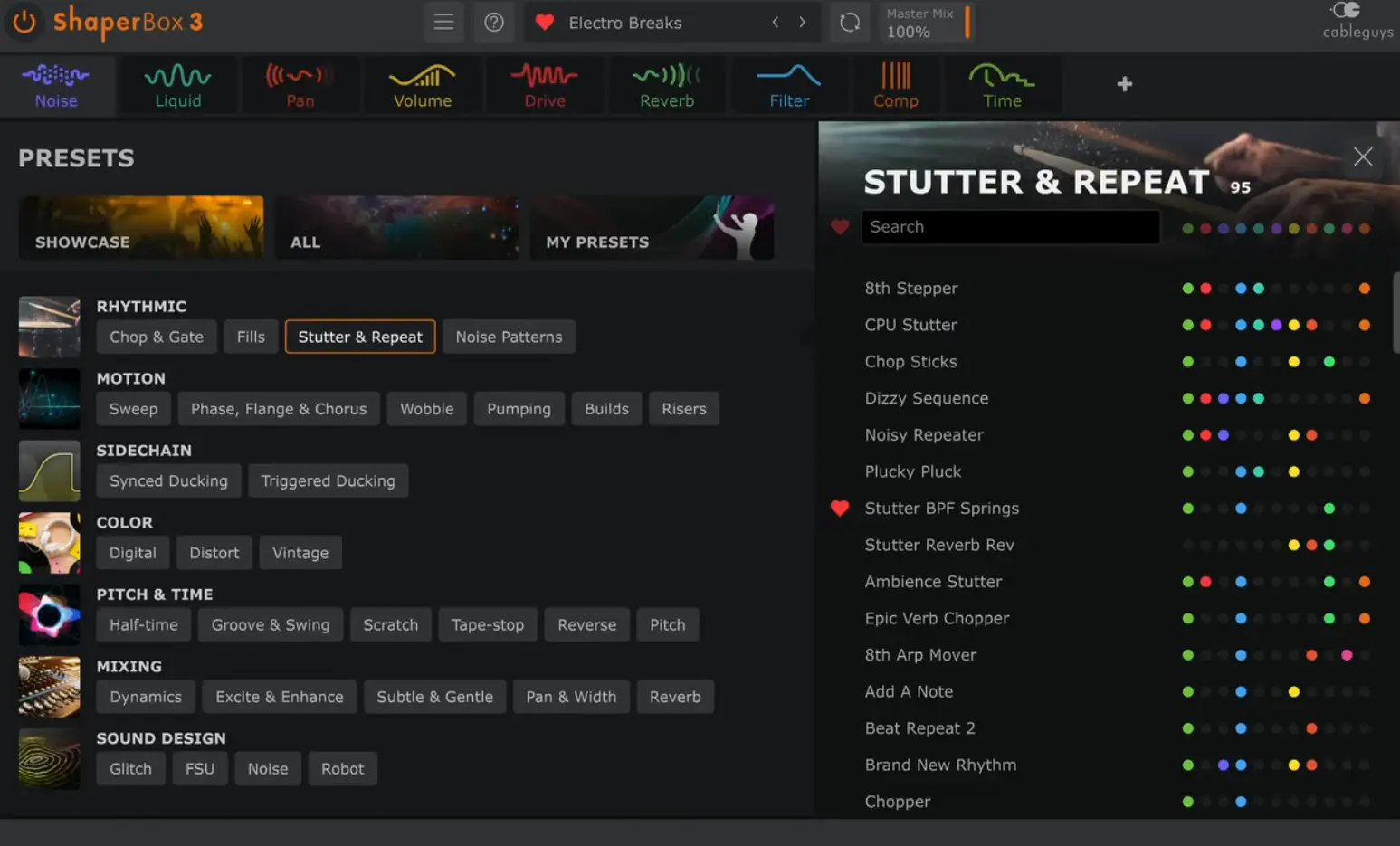
If you want to look at the official details, features, or pricing, you can find ShaperBox 3 on the official Cableguys ShaperBox page.
If you are ready to buy it or try it for yourself, the official product page is also the best place to start
Final thoughts
ShaperBox 3 is one of those plugins that can quietly become part of the way you work if your music depends on movement and control. It is fast enough to stay creative, flexible enough to stay useful, and musical enough not to feel like a technical compromise.
That is why it still has a place in my workflow. Not because I need to use every module every day, but because when a track needs movement, life, or a stronger sense of push, it gives me a very fast route to a result that actually helps the music.
If you make Hardcore, Hard Dance, Trance, or wider electronic music and want more control over how your sounds breathe and move, ShaperBox 3 is absolutely worth looking at.
If you want to compare it with other tools I use, it also makes sense alongside my Kickstart 2 review, Why I Started Using Kick 3 Instead of Relying on Kick Samples, and What I Look for in a Plugin Before It Earns a Place in My Workflow.


