


Pigments is one of those synths that gets recommended a lot, and unlike a lot of over-recommended tools, I actually understand why. It is not just popular because it looks good. It is popular because it gives producers a lot of sound design depth without making the process feel completely miserable.
That balance matters. A lot of synths either feel too basic once you know what you are doing or so deep that they stop being inspiring and start feeling like work. Pigments sits in a very useful space between those extremes. It gives you enough power to get properly creative, but it still feels accessible and visually clear in a way that makes experimentation more inviting than frustrating.
I use Pigments sometimes in my own productions, and that says more to me than any feature list ever could. I do not care how respected a plugin is if it does not actually help me write stronger music. Pigments earns its place because it can go from broad idea generation to deeper sound design without making that transition feel awkward. It is one of the few synths that can feel modern, powerful, and genuinely enjoyable to work in at the same time.
What Pigments actually is
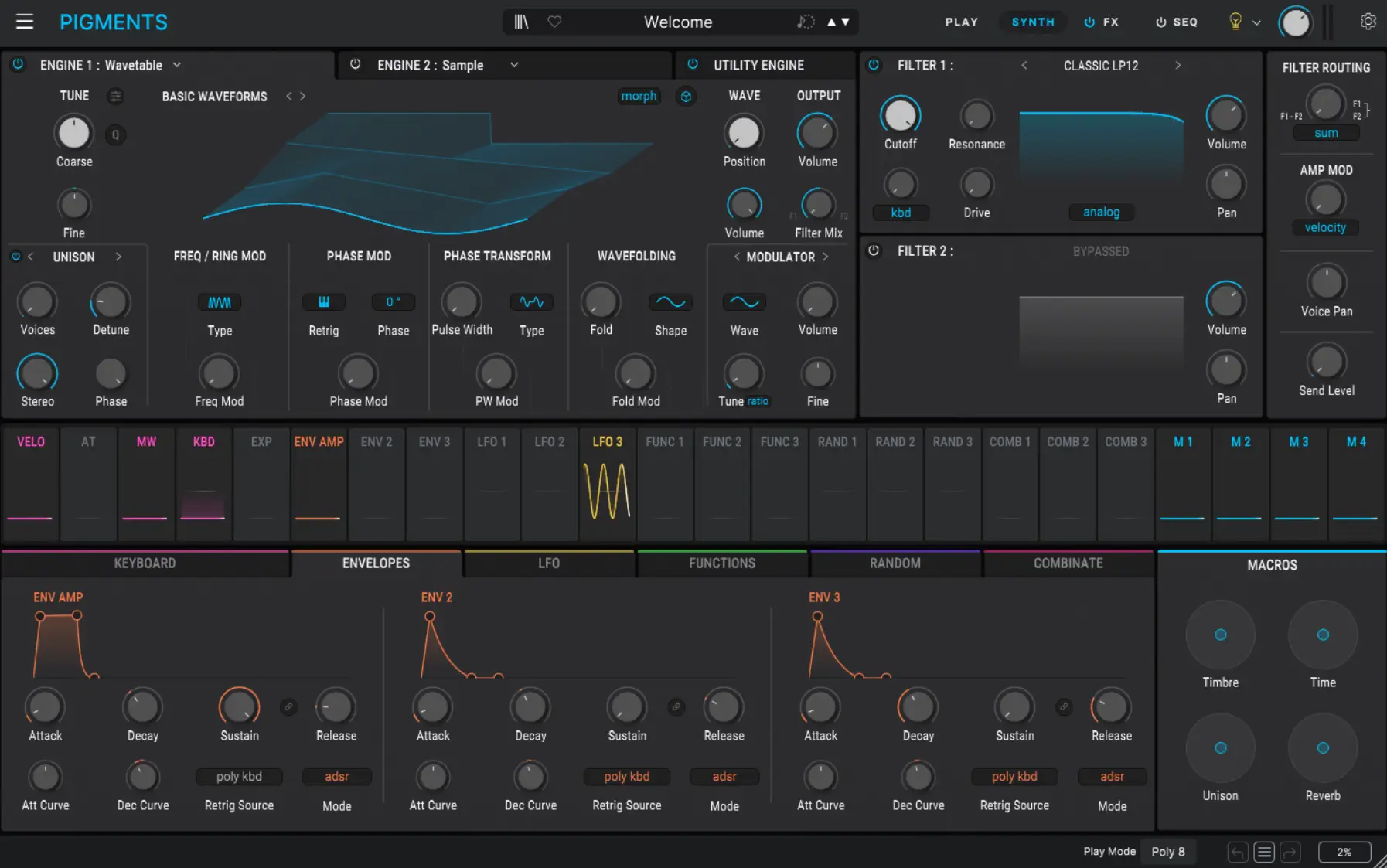
Pigments is Arturia's flagship software synthesizer, and it has built its reputation by combining multiple synthesis approaches inside one instrument while keeping the interface visually approachable. From the current official direction, Pigments is built around six main forms of synthesis, Modal, Granular, Wavetable, Sample, Harmonic, and Virtual Analog, alongside a Utility engine for extra oscillators and sampled noise. That gives it a genuinely broad sound design range without forcing everything through one narrow idea of what the synth is supposed to be.
That alone does not make it special. Plenty of synths try to sound flexible in marketing. What matters is whether that flexibility is actually usable. In Pigments, I think it usually is. The layout makes sense, the visual feedback is strong, and the synth does a good job of helping you understand what is happening instead of leaving you buried in technical abstraction.
That is a big reason why it appeals to so many electronic producers. It can go deep, but it does not feel hostile.
Why Pigments works so well for modern electronic music
Modern electronic music often lives in a strange tension between precision and experimentation. You want sounds that feel fresh, but you also need them to sit in a real track. You want movement, but not random chaos. You want personality, but not at the cost of usability. Pigments fits that world very well because it gives you a lot of design freedom while still feeling structured enough to stay musical.
That is one of its biggest strengths for me. It does not just let you create strange sounds for the sake of it. It lets you build sounds that can still belong to a real arrangement. That makes it much more valuable than a synth that is technically huge but practically disconnected from the kind of records you are trying to make.
In genres like Trance, Hard Dance, Hardcore, and wider EDM, that balance matters a lot. A sound needs identity, but it also needs purpose. Pigments is good because it can do both when you use it properly.
What I like most about Pigments
The biggest strength of Pigments is how inviting it feels. That might sound like a small thing, but it is not. A synth can have endless power and still become something you do not reach for often if the workflow feels dry or awkward. Pigments does a very good job of keeping sound design visual, immediate, and creative.
I like that I can start with something broad, shape the character quickly, and then go deeper if the track needs more detail. I like that movement is easy to understand. I like that the modulation does not feel buried. I like that it encourages curiosity rather than punishing it. The drag-and-drop modulation, color-coded layout, and reactive play view all help with that. Those are big reasons why it works.
There is also something important about the way Pigments balances complexity and clarity. You can make it simple if that is what the track needs. You can also build something much more intricate without the whole interface turning into a mess. That flexibility makes it one of the more genuinely useful modern synths rather than just one of the more fashionable ones.
The interface is a big part of why it succeeds
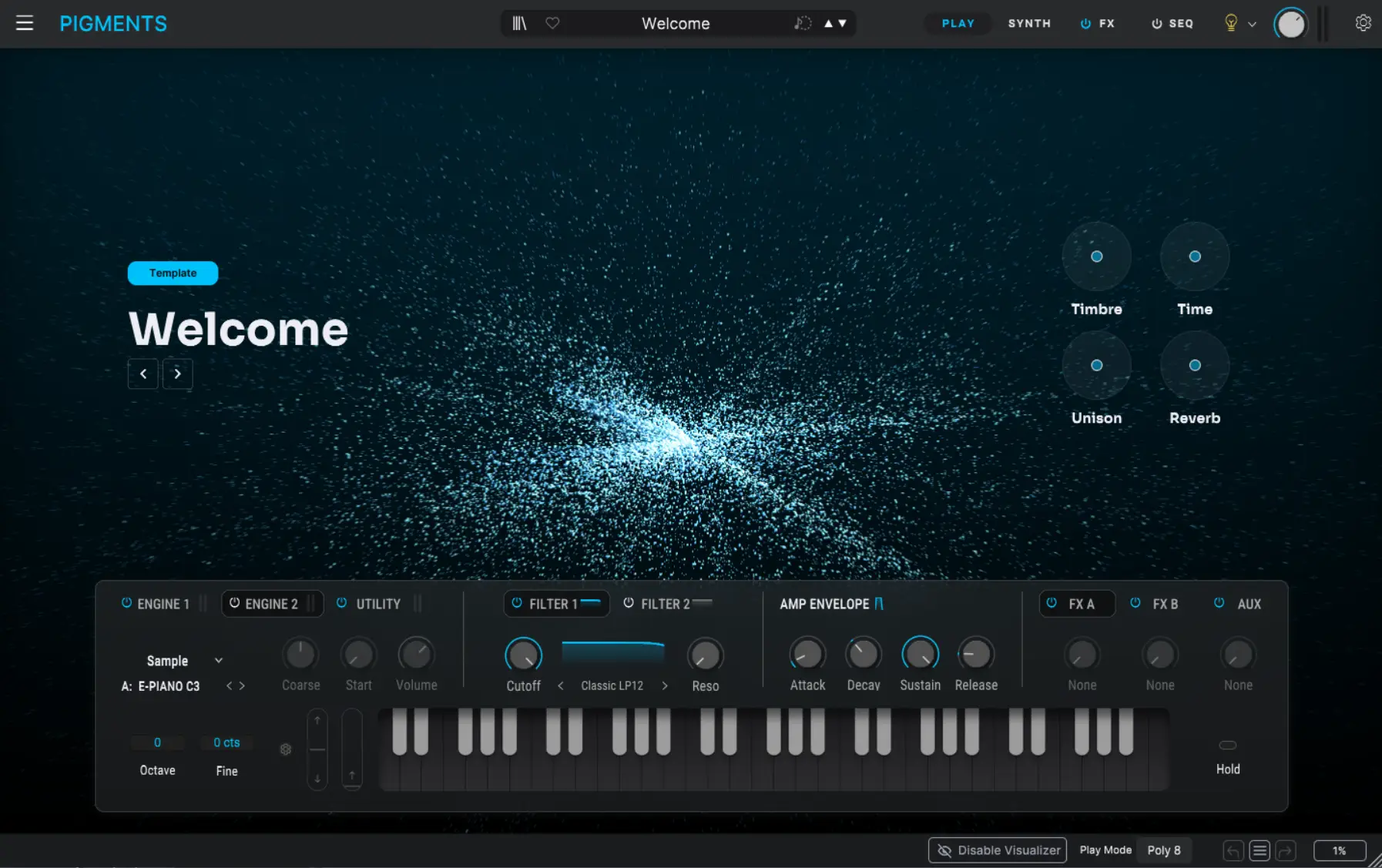
I think the interface is one of the main reasons Pigments has earned such a strong place in electronic music. It is not just pretty. It is informative. You can see what is happening in a way that helps you make better decisions faster.
That matters when modulation becomes central to the sound. It matters when filtering, movement, envelope shaping, and source interaction all start becoming part of the same design choice. A visual environment that helps you understand what is going on is not a luxury at that point, it is part of the workflow.
This is one area where Pigments often beats more traditional synths for me. Some synths sound incredible but make you work too hard just to maintain a clear mental model of the patch. Pigments makes it easier to stay oriented, and that encourages better experimentation. The official emphasis on its color-coded modulation and animation that informs is not just marketing fluff either, it genuinely is part of why the synth feels more usable than a lot of competitors.
How it fits into my workflow
I do not use Pigments for everything, and I do not think any single synth should be treated that way. But when I want a sound that needs movement, personality, and the ability to evolve without becoming awkward to build, Pigments makes a lot of sense.
It is especially useful when I want to move beyond safer preset thinking and actually shape something with a bit more life to it. Leads, textures, atmospheric layers, evolving pads, sharper electronic tones, and more modern synthetic movement all make sense inside Pigments. It can go softer or more aggressive depending on what you ask of it, which is a big part of why it stays relevant in different styles.
For me, it is one of those synths that is worth opening when I know I want the sound to carry more personality than something more static or purely preset-based might naturally give me.
Where Pigments is strongest
If I had to narrow it down, I think Pigments is strongest in three main areas.
First, it is excellent for movement. That could be subtle modulation, evolving textures, animated filters, or more obvious rhythmic behaviour. The synth gives you the tools to make sounds feel alive.
Second, it is strong for modern tone. It sounds current without feeling cheap. A lot of modern synths try to feel polished but end up feeling bland. Pigments usually avoids that because it still gives you enough depth to shape something with identity.
Third, it is strong as a learning environment. This matters more than people admit. A synth that helps you understand synthesis more clearly is worth more in the long run than one that just hides everything behind mystery. Pigments is good for people who want to grow, not just load patches.
It also helps that the factory library is not thin. Arturia is pushing the 1700+ preset side of the synth pretty hard, and I can see why. That means Pigments is useful both as a deeper design environment and as a synth you can open quickly when you need an immediate sound to react to.
What can go wrong with it
As much as I rate Pigments, I do think there are situations where it can encourage over-design if you are not careful. Because it is fun to explore, it is also easy to keep tweaking long after the sound already works. That is not really a flaw in the synth itself, but it is something to watch out for.
There is also the simple truth that more possibility means more room to get lost. If you are the kind of producer who already struggles to stop tweaking sounds and move on, Pigments can absolutely feed that habit if you let it. The synth rewards curiosity, but it does not automatically reward discipline. You still need to know when the sound is serving the track and when you are just entertaining yourself.
That is the difference between a good sound design session and a productive track session. Pigments can give you excellent sounds, but it can also become a beautiful rabbit hole if you stop making decisions.
How it compares to something like Serum
It is hard to talk about Pigments without people mentally comparing it to Serum, because both synths occupy a similar “modern electronic sound design” space in the minds of a lot of producers. I do not think one completely replaces the other.
Serum still feels sharper and more direct in certain kinds of wavetable work, and it has a very strong identity of its own. Pigments, to me, feels broader and a bit more exploratory as an environment. It is less about one famous strength and more about being a flexible modern synthesis space that still stays visually approachable.
That difference is useful. If I want a very particular kind of fast wavetable direction, Serum often still makes immediate sense. If I want a more open-ended, modern, movement-friendly sound design environment, Pigments can be the more interesting place to go. That is one reason I think the two can sit alongside each other rather than simply replacing one another.
If you want the other side of that comparison, it naturally links with Serum 2 Why I Love It.
Why it deserves its reputation
I think Pigments deserves its reputation because it manages to be broad without becoming directionless. A lot of synths either narrow themselves into one signature lane or spread themselves so widely that they lose any clear identity. Pigments does a better job of staying musically useful while still being flexible.
It also deserves credit for making advanced synthesis feel more approachable. That matters in modern production, because a synth that helps people actually learn and create is far more valuable than one that just sounds complex in a product announcement. When you combine six synthesis approaches, multiple filters, around twenty effects, sequencing, and deep modulation in one place, the difference between a useful interface and an exhausting one becomes massive. Pigments handles that better than most.
Who I think Pigments is for
I think Pigments is especially good for producers who want more than just ready-made sounds but do not want to disappear into a hostile interface every time they open a synth. It is great for people who care about modulation, movement, evolving tones, modern electronic texture, and sound design that still feels musical.
It makes a lot of sense in Trance, Hard Dance, Hardcore, EDM, cinematic electronic music, and any style where the synth needs to carry emotion or identity rather than just fill a slot. It is also a very good synth for producers who are growing, because it rewards learning without feeling punishing.
Official Link
If you want to explore Pigments properly, compare versions, or buy it directly, the best place to start is the official Arturia Pigments page. That page also gives a clearer look at the current engine structure, Play View, factory library, and the way Arturia is positioning Pigments as a modern all-in-one sound design synth.
My honest opinion
My honest opinion is that Pigments is one of the best modern synths for producers who want depth, movement, and a workflow that still feels enjoyable. It is not valuable because it is fashionable. It is valuable because it gives you serious sound design power in a way that still feels inviting and musical.
I use it sometimes because it can help create sounds with real life in them. It is one of those synths that can push a track toward something more personal if you use it with intent. That matters a lot more to me than raw feature count.
If you want a synth that can move between inspiration and deeper sound design without becoming a chore, Pigments is absolutely worth looking at.
If you want to place it in context with other tools I use, it also makes sense alongside my Nexus review, my ShaperBox 3 review, and What I Look for in a Plugin Before It Earns a Place in My Workflow.


